Renew Passport Online UK 2026: Adult Renewal Guide
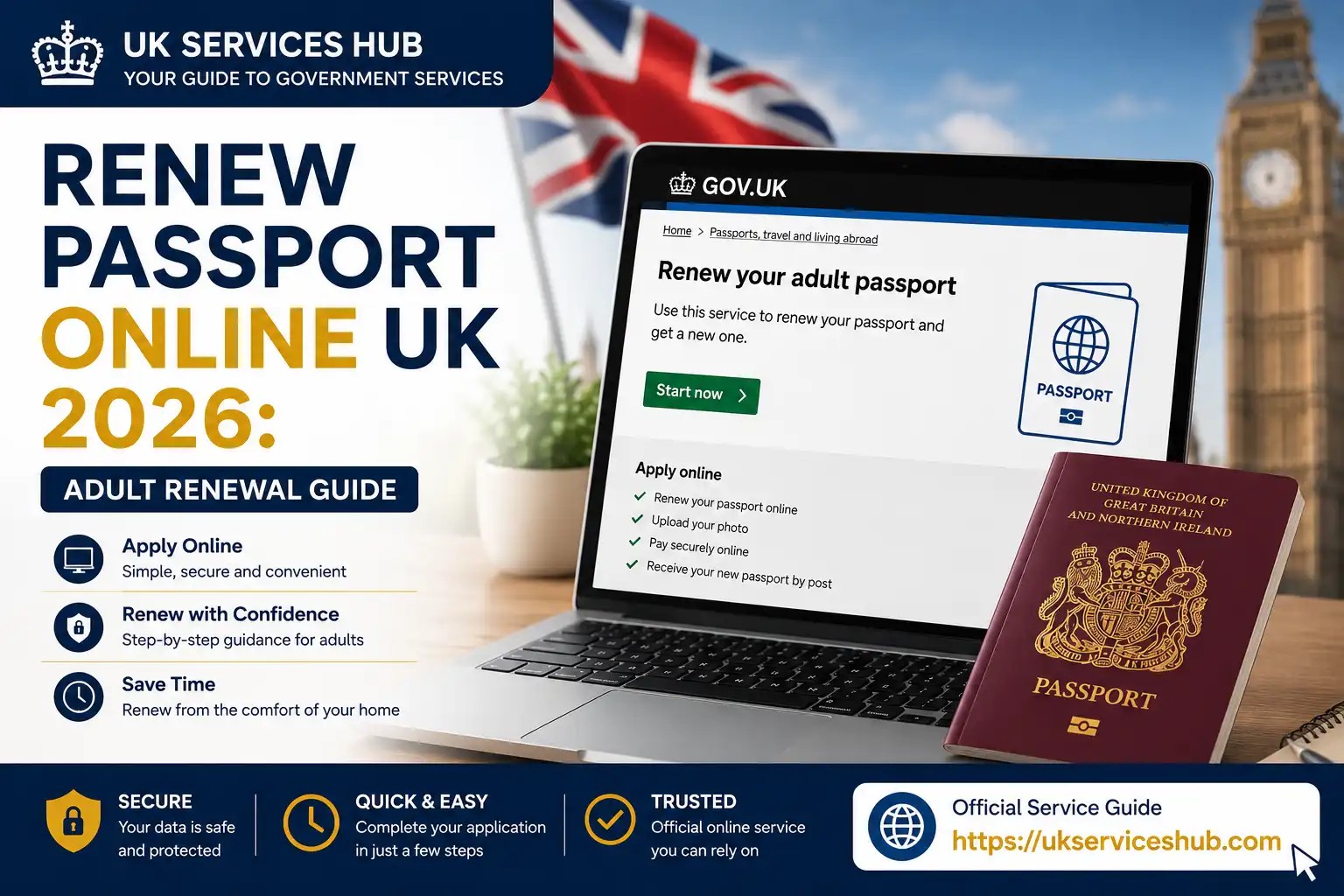
Renew Passport Online UK 2026 is the convenient way for eligible adults to replace an existing UK passport without relying on a paper application. Before you apply, it’s important to understand the latest renewal fee, required documents, photo requirements, processing time and travel-validity rules.
This adult passport renewal guide explains what you need to prepare, how the online application works, what happens to your old passport and how long you should expect to wait for your new one. It also covers the key UK passport renewal rules for 2026, including the European 10-year passport validity requirement, so you can submit your application with confidence and avoid common delays.Visit our Homepage for more information.Click Here
What Does Renew Passport Online Mean?
The renew passport online service is HM Passport Office’s digital application process for replacing an existing adult British passport. You can use it when your current passport has expired or when it does not have enough time remaining for your intended journey.
An adult passport application normally applies to people aged 16 or over, including someone who will turn 16 within the next three weeks. Child passport applications follow a different process.
Your old passport is important because you will need information from it during the application. GOV.UK also states that you need to provide your old passport and, where applicable, valid passports you hold from another country.
Quick facts
| Information | Current UK online renewal |
|---|---|
| Official service | GOV.UK |
| Applicant | Adult aged 16 or over |
| Standard online fee | £102 |
| Frequent Traveller fee | £116 |
| Digital photograph | Required |
| Payment | Credit or debit card |
| Existing passport | Required |
| Application tracking | Available online |
| New passport number | Different from old passport |
Important: Do not arrange international travel on the assumption that your old passport will remain usable after renewal. GOV.UK advises applicants not to book travel until they have a valid passport because the new passport will have a different number.
Before You Renew Your Passport Online
A few minutes of preparation can prevent unnecessary delays. Have your current passport available and make sure you can provide a suitable digital photograph.
You will generally need:
GOV.UK specifically states that applicants renewing online need a digital photo, credit or debit card and their passport.
If you have a valid passport from another country, HM Passport Office says you may need to send a colour photocopy of every page, including blank pages, or the physical passport.
What if your details have changed?
A standard renewal is not always the correct route if you need to change important personal information. For example, changing your name or replacing a passport that has been lost, stolen or seriously damaged can involve different procedures.
Before starting, make sure the service you select matches your situation. This is particularly important if you no longer have your previous passport.
Digital Passport Photo Requirements
Your photograph is one of the most important parts of an online passport application. GOV.UK says you must provide a new digital photo when getting a new passport, even if your appearance has not changed. The photo should have been taken within the last month.
You have two main ways to obtain one.
Option 1: Get a photo from a booth or shop
You can visit a participating photo booth or shop and request a digital passport photograph with a code. During the online application, you enter that code and the photograph can be added to your application.
GOV.UK notes that photographs obtained from a booth or shop are more likely to be approved than photographs taken using your own device.
Option 2: Take the photograph yourself
You can also use your own device during the application process. If somebody else takes the picture, it can be easier to keep your face and shoulders positioned correctly.
Avoid using filters, editing effects or an altered image. Your photograph needs to represent you accurately.
What should your digital photo look like?
For the current GOV.UK digital-photo requirements, the image should be clear, in focus and in colour. It should have a plain, light-coloured background and show your face clearly. Your eyes should be open and visible, and you should face the camera directly.
The current technical guidance states that a digital photo should be at least 600 pixels wide by 750 pixels high, between 50KB and 6MB, and supplied as a JPG or JPEG file.
Photo checklist
Before uploading, check that:
If possible, ask another person to take the photograph rather than trying to take a selfie. GOV.UK recommends having another person take it because this can reduce the likelihood of rejection.
How to Renew Passport Online Through GOV.UK
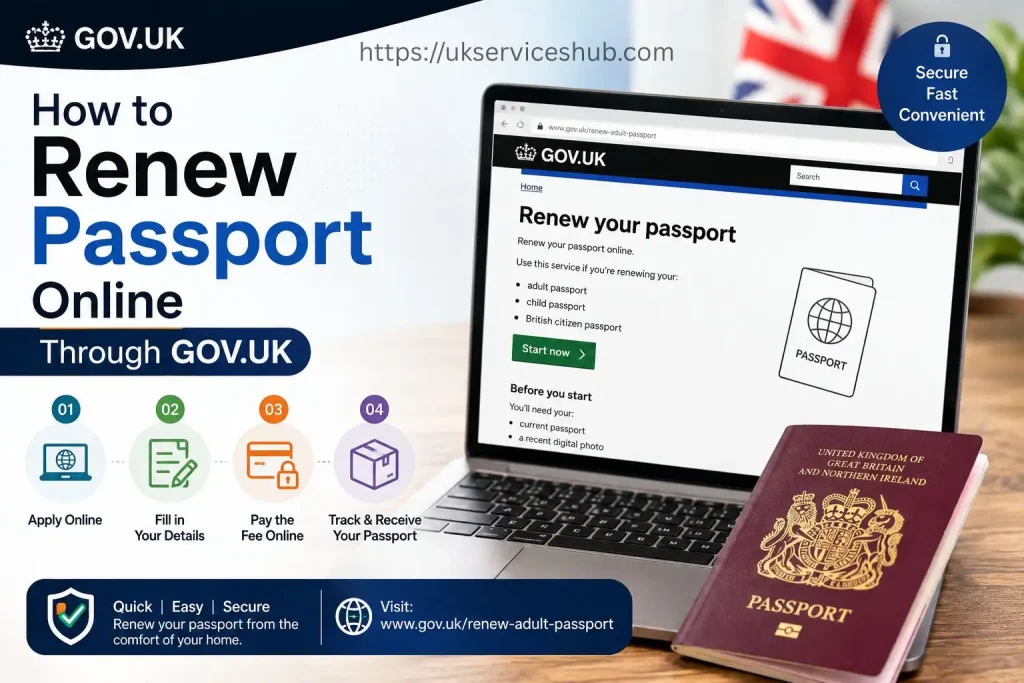
Once you have your passport and digital photograph ready, you can begin the application.
Step 1: Open the Official Renewal Service
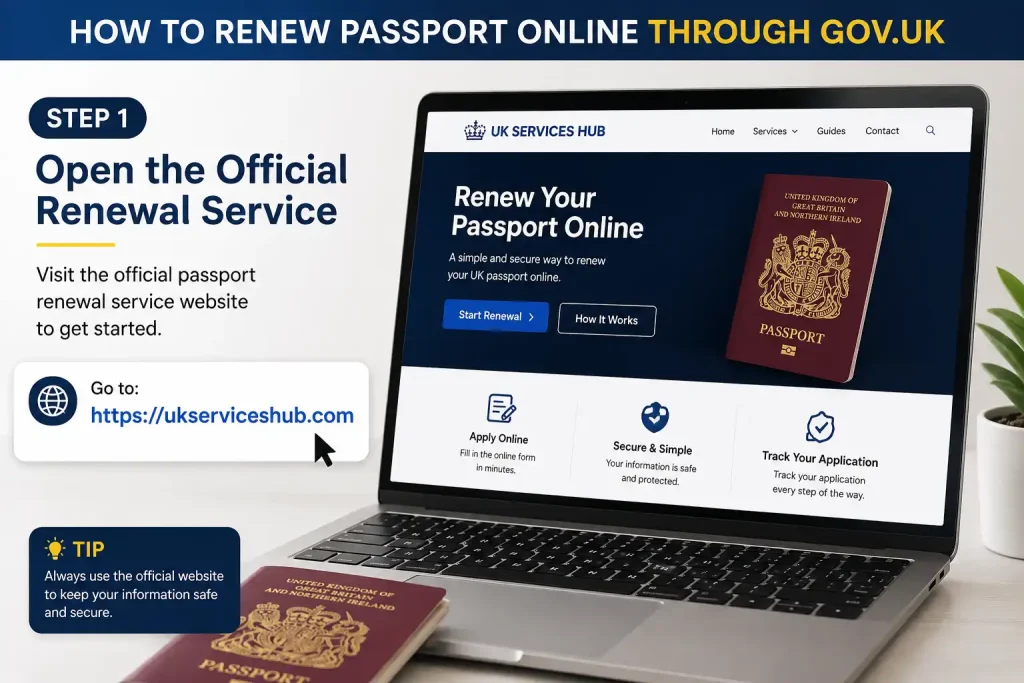
Start with the official HM Passport Office page:
Read the eligibility information and select “Start now” to enter the online service.
Using the official GOV.UK page is important because search results can also contain private companies offering passport assistance. You do not need a third-party website simply to access the official online renewal application.
Step 2: Confirm Your Circumstances
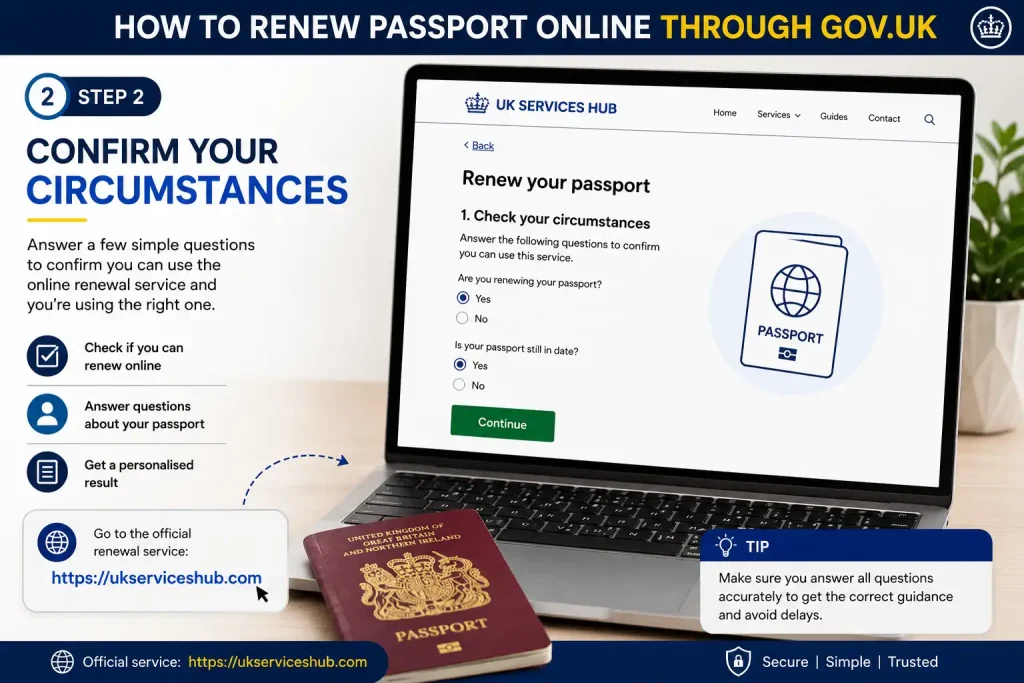
The application will ask questions to establish whether you are using the appropriate renewal service.
You may need to provide information about:
Answer each question according to your current situation. Don’t select an answer simply because it appears to make the application faster.
If your passport is lost or stolen, stop and use the relevant replacement process instead. GOV.UK states that a lost or stolen passport must be cancelled before you apply for a replacement.
Step 3: Enter Your Passport Information
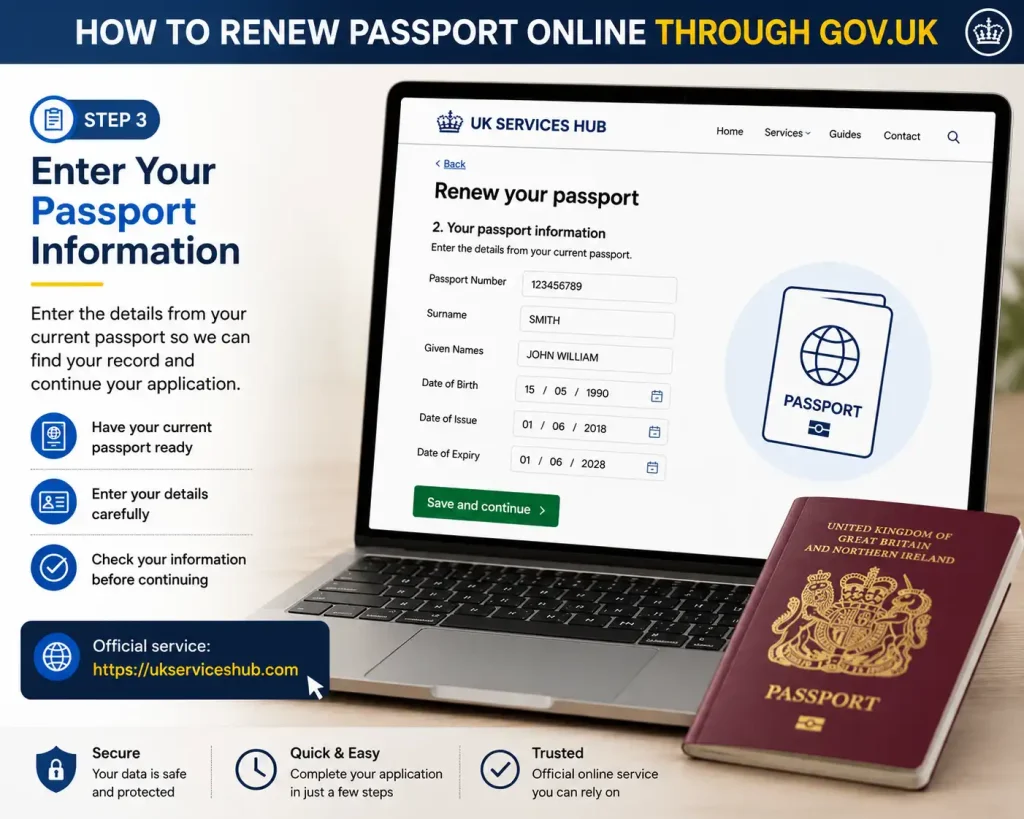
Keep your current passport beside you while completing the form.
You may need information such as your passport number and personal details. Enter information carefully and check it against the document before moving forward.
A small mistake can create problems later, so don’t rush through this section.
Useful tip
Use the exact spelling shown on your passport. If your circumstances have changed since your previous passport was issued, follow the application’s instructions about supporting evidence rather than assuming a normal renewal will cover the change.
Step 4: Add Your Digital Photograph
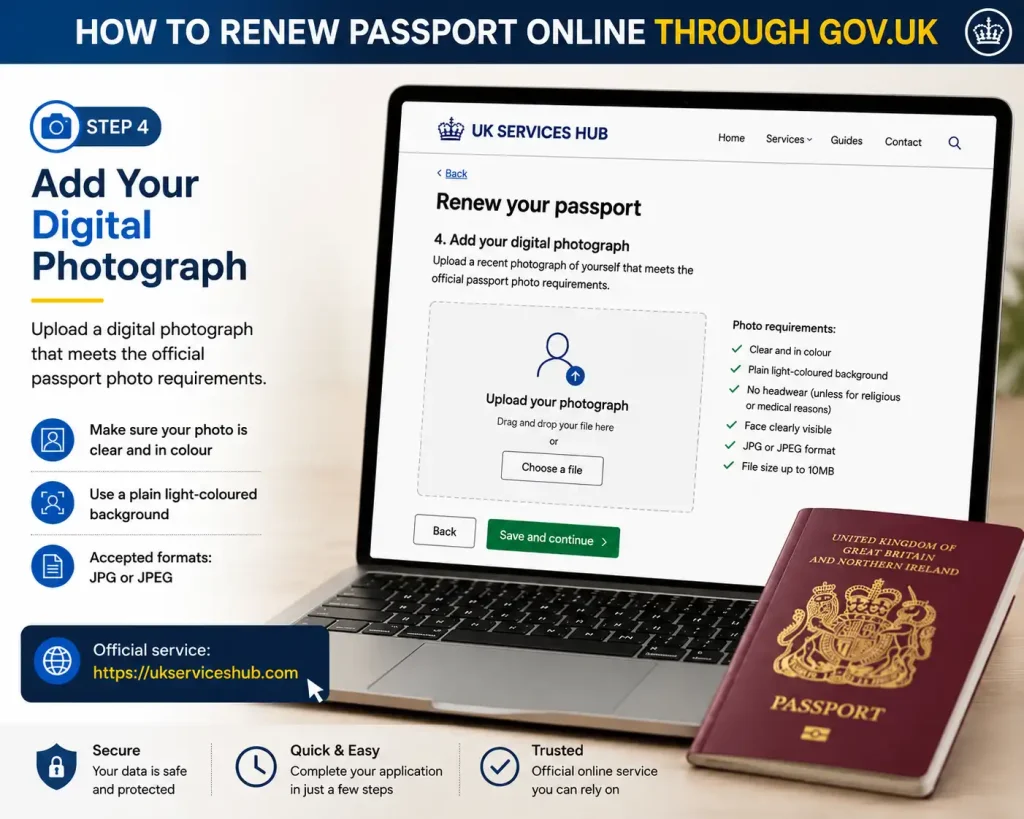
The online application will ask you for your passport photograph.
If you obtained a photograph from a participating photo booth or shop, select the appropriate option and enter the supplied code.
If you are using a photograph from your device, follow the upload instructions shown by GOV.UK.
The photograph must meet the current passport-photo requirements. A photograph that does not satisfy the requirements can delay the application.
Step 5: Provide Your Contact and Delivery Details
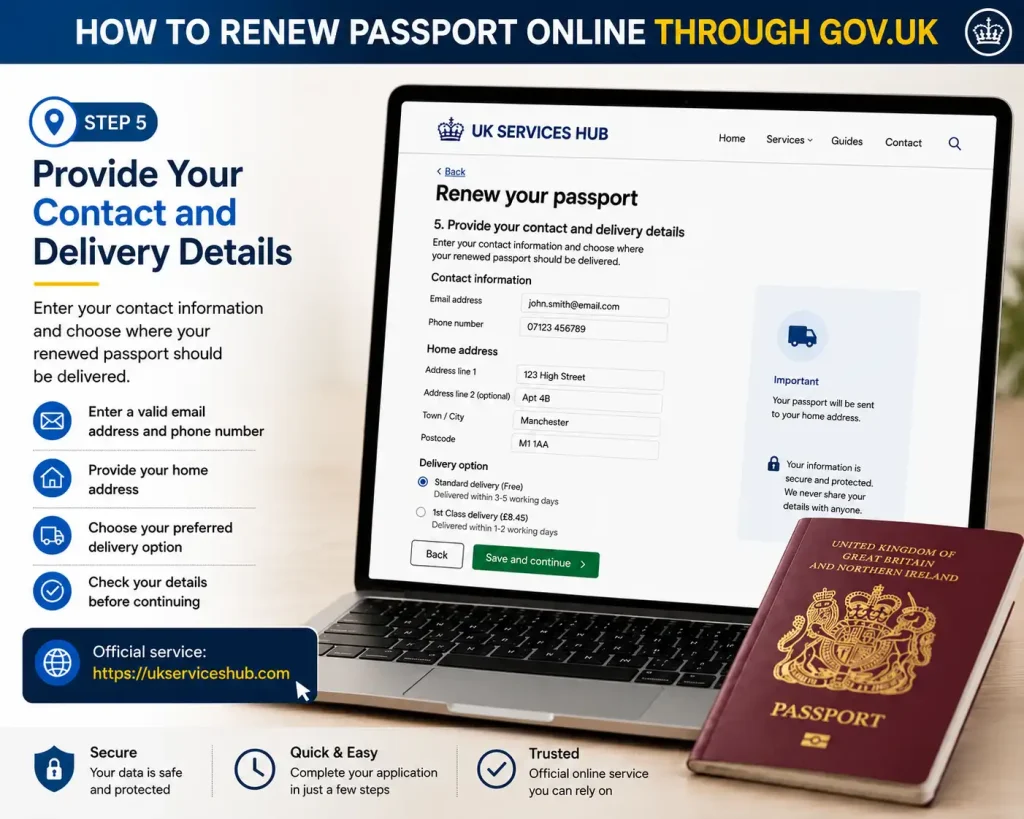
Enter your current address and contact information carefully.
Your email address and mobile number should be ones you can access because application-related communications may be sent electronically.
Double-check the delivery address before continuing. A passport is an important identity document, so avoid using an address where you may not reliably receive official post.
Step 6: Check Everything Before Payment
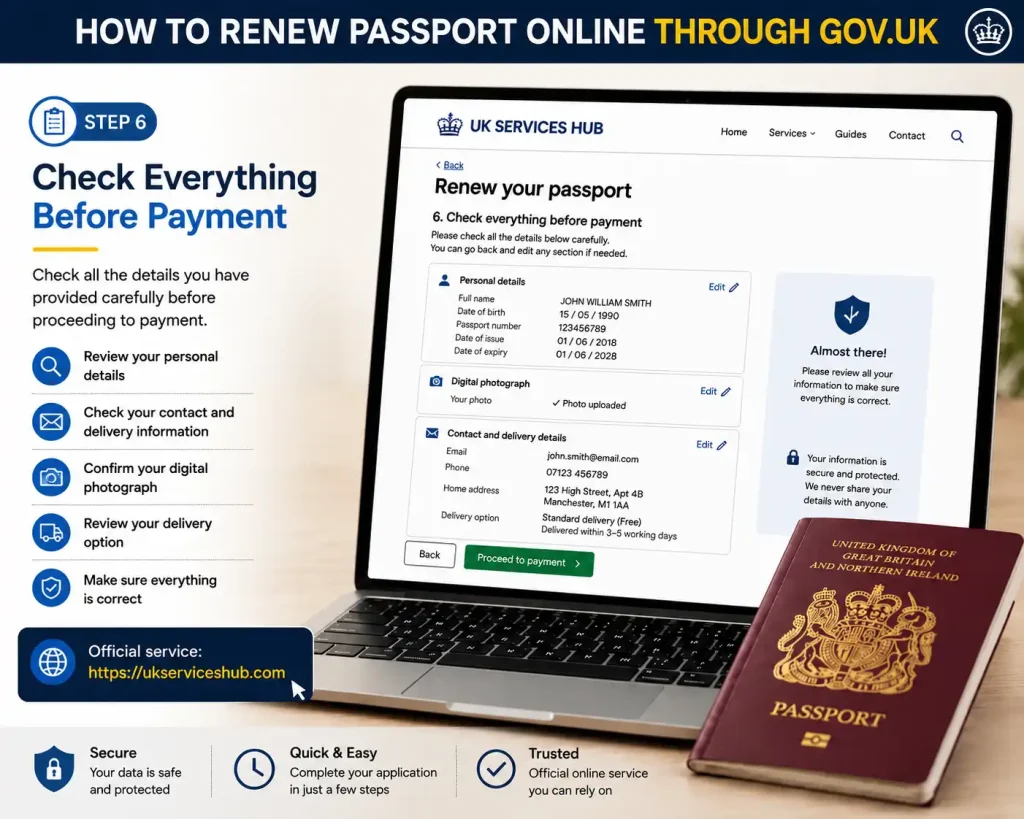
Before you pay, review the information you have entered.
Pay particular attention to:
The standard online adult passport fee is currently £102. If you need a 54-page Frequent Traveller Passport, the current online fee is £116.
Once you are satisfied that the application is correct, complete the payment using an accepted debit or credit card.
UK Passport Renewal Fees in 2026
Passport fees changed on 8 April 2026, so older online guides may show lower amounts. The current GOV.UK fee information confirms the following charges for UK applications.
| Application | Online | Paper |
|---|---|---|
| Adult standard 34-page passport | £102 | £115.50 |
| Adult Frequent Traveller Passport | £116 | £129.50 |
| Child standard passport | £66.50 | £80 |
| Child Frequent Traveller Passport | £80.50 | £94 |
| Passport for people born on/before 2 September 1929 | Free | Free |
These are the current fees published by HM Passport Office for UK applications.
The online route is therefore cheaper than applying with a paper form for a standard adult passport.
What Happens After You Submit the Application?
Submitting the online form and paying the fee does not necessarily mean there is nothing else to do.
HM Passport Office may require your old passport or other supporting documents. GOV.UK explains what documents need to be provided as part of the renewal process.
If you are instructed to send your passport, follow the address and instructions provided by the official service rather than using an address found on an unrelated website.
Keep your application reference number somewhere safe. It can be useful when checking the progress of your application.
How to Track Your Passport Renewal
After applying, you can check your application through the official GOV.UK tracking service.
You will need your application reference information to use the tracking service.
GOV.UK also advises checking how long a passport application is expected to take before making travel plans. In 2025, 99.7% of standard UK applications requiring no further information were processed within three weeks, according to HM Passport Office’s March 2026 announcement.
Do not book travel solely on the assumption that your renewal will be completed by a particular date. Wait until you have a valid passport.
New Passport Rules You Should Know
The phrase new passport rules is often used online to describe changes to fees, application procedures or travel requirements. For someone renewing a British passport in 2026, one of the key points is that the passport fee changed from 8 April 2026.
Another important point is that your new passport will have a different passport number from your old one. GOV.UK specifically warns travellers not to book travel until they have a valid passport.
Also remember that passport validity requirements can depend on the destination. Some countries require a particular amount of validity remaining before you enter, so check the entry rules for your destination before travelling.
How Long Does Online Passport Renewal Take?
Processing times can vary depending on the application and whether HM Passport Office needs additional information.
For that reason, don’t treat an estimated processing time as a guaranteed delivery date. If you have an upcoming holiday, allow plenty of time for your valid passport to arrive before making final travel arrangements.
A useful rule is simple: apply before booking travel whenever possible.
You can monitor your application using the official.
If HM Passport Office contacts you asking for additional information or documents, respond as soon as possible. Delaying a requested document can delay the application.
What Happens to Your Old Passport?
When you apply for a replacement passport, your existing passport is normally cancelled as part of the process.
This is one reason you shouldn’t assume that your old passport can continue to be used while your renewal is being processed.
Your new passport will also have a different passport number.
Important travel reminder
If you’ve already booked flights using your old passport number, check the airline’s requirements and update your passport details when your new document arrives.
Some travel authorisations are linked electronically to a passport number. Depending on the destination, you may therefore need to update or apply for the relevant travel authorisation again.
Can You Renew a Passport Before It Expires?
Yes. You don’t necessarily have to wait until your passport has expired before applying.
If your passport is approaching its expiry date and you know you’ll need it for future travel, applying in advance can give you more time to deal with any unexpected issue.
There is another reason to check early: passport validity rules vary between countries.
A passport can technically still be valid while a destination country may require additional validity beyond the date you plan to enter or leave.
Before travelling, check the official travel information for the country you’re visiting.
What If Your Passport Is Full?
A passport that has no remaining blank visa pages may no longer be practical for international travel.
Rather than trying to add pages to an existing passport, you should apply for a new passport.
During the application, make sure you select the correct passport option if you regularly travel and need additional pages.
The Frequent Traveller Passport contains 54 pages and currently costs £116 when applied for online from within the UK.
For occasional travellers, the standard 34-page passport is generally sufficient.
What If Your Passport Is Damaged?
A damaged passport may need to be replaced rather than simply renewed as a routine application.
Don’t attempt to repair, laminate, cut, modify or otherwise alter the document yourself.
If the passport has suffered significant damage, check the GOV.UK guidance before starting an ordinary renewal application:
This is particularly important where the damage affects the photograph page, personal details, security features or physical integrity of the document.
What If Your Passport Has Been Lost or Stolen?
A lost or stolen passport should not be treated as an ordinary renewal.
You should report it to HM Passport Office so it can be cancelled. Once cancelled, it cannot be used for travel even if you later find it.
Use the official GOV.UK service:
You can then follow the instructions for obtaining a replacement.
Do not rely on an old passport after reporting it lost or stolen.
Renew Passport Online If You Live Outside the UK
The online renewal process is not limited to people physically living in Britain.
British citizens living abroad can have different application arrangements depending on the country where they live.
If you’re a British citizen overseas, don’t automatically use the UK-resident renewal route. Start with the official overseas passport guidance and select your country.
This is particularly relevant for students, workers and families who have moved abroad but still hold a British passport.
What About Renew US Passport in UK?
The search phrase renew US passport in UK refers to a different process from renewing a British passport.
If you are a US citizen living in the United Kingdom, you should not use the GOV.UK adult passport renewal service. That service is for British passports.
US citizens should use the official US Embassy and Consulates in the UK guidance for American passport services.
The requirements, fees, forms and appointment arrangements for a US passport are separate from HM Passport Office.
In short:
| Your situation | Correct service |
|---|---|
| British citizen renewing a UK passport | GOV.UK |
| British citizen living overseas | GOV.UK overseas passport service |
| US citizen living in the UK | US Embassy/Consulates |
| Lost British passport | GOV.UK lost/stolen passport service |
| Damaged British passport | Check GOV.UK damaged passport guidance |
This distinction is important if you’re searching for renew passport online and see several different government services.
Common Reasons Passport Applications Can Be Delayed
Most applications are straightforward, but several issues can create extra work.
1. Poor-quality photograph
A photo that doesn’t meet the digital requirements may need to be replaced.
Use a clear, recent image with the correct background, lighting and facial positioning.
2. Incorrect personal information
Check your name, date of birth and other information carefully before submitting.
Don’t guess when entering information from your existing passport.
3. Missing documents
If HM Passport Office asks for supporting evidence, provide it promptly and according to the instructions you’ve been given.
4. Sending documents incorrectly
If you’re instructed to send your old passport or another document, use the address and instructions supplied with your application.
5. Booking travel too early
A common mistake is purchasing non-refundable travel while the application is still being processed.
Your application may require additional checks, so leave enough time for your valid passport to arrive.
How to Avoid Problems When You Renew Passport Online
A few practical checks can make the application smoother.
Before starting
During the application
After submitting
New Passport Rules: What Travellers Should Check
When people search for new passport rules, they may be looking for changes affecting fees, validity or international travel.
The safest approach is to separate two things:
UK passport rules determine whether HM Passport Office can issue your passport.
Destination-country rules determine whether that passport meets the conditions for entry.
For example, a country may require your passport to have a certain amount of validity remaining or a specified number of blank pages.
Therefore, having a newly issued passport doesn’t automatically mean you can enter every country without checking its individual requirements.
Frequently Asked Questions About Renewing a Passport Online UK
Conclusion
Renewing your passport online in the UK is a straightforward option for most eligible adults, provided you have the required documents, a suitable photo and the correct application details. In 2026, the standard online adult passport renewal fee is £102, and applicants should normally allow around three weeks for processing.
Before you travel, check your passport’s issue date and expiry date carefully, especially if you are visiting Europe. The 10-year passport rule and the requirement for at least three months’ remaining validity can affect whether your passport is accepted for travel.
If you need to renew your passport online UK, use the official government service, provide accurate information and send your old passport when instructed. Checking the latest requirements before submitting your application can help avoid unnecessary delays and make your UK passport renewal as smooth as possible.
Rrad more
Companies House UK Login & Register 2026: Company Search, Lookup & Filing Guide
ParentPay Guide 2026: Complete Login, Registration & School Payment Guide
Bromcom Student Portal 2026: Complete Login Guide, Features, Password Reset & Student Dashboard
DBS Update Service 2026 Registration Login Certificate Checks & Renewal Link
XMS Portal 2026: Login Guide, Password Reset & Account Access