Right to Work Share Code UK 2026: How to Get, Check and Use It
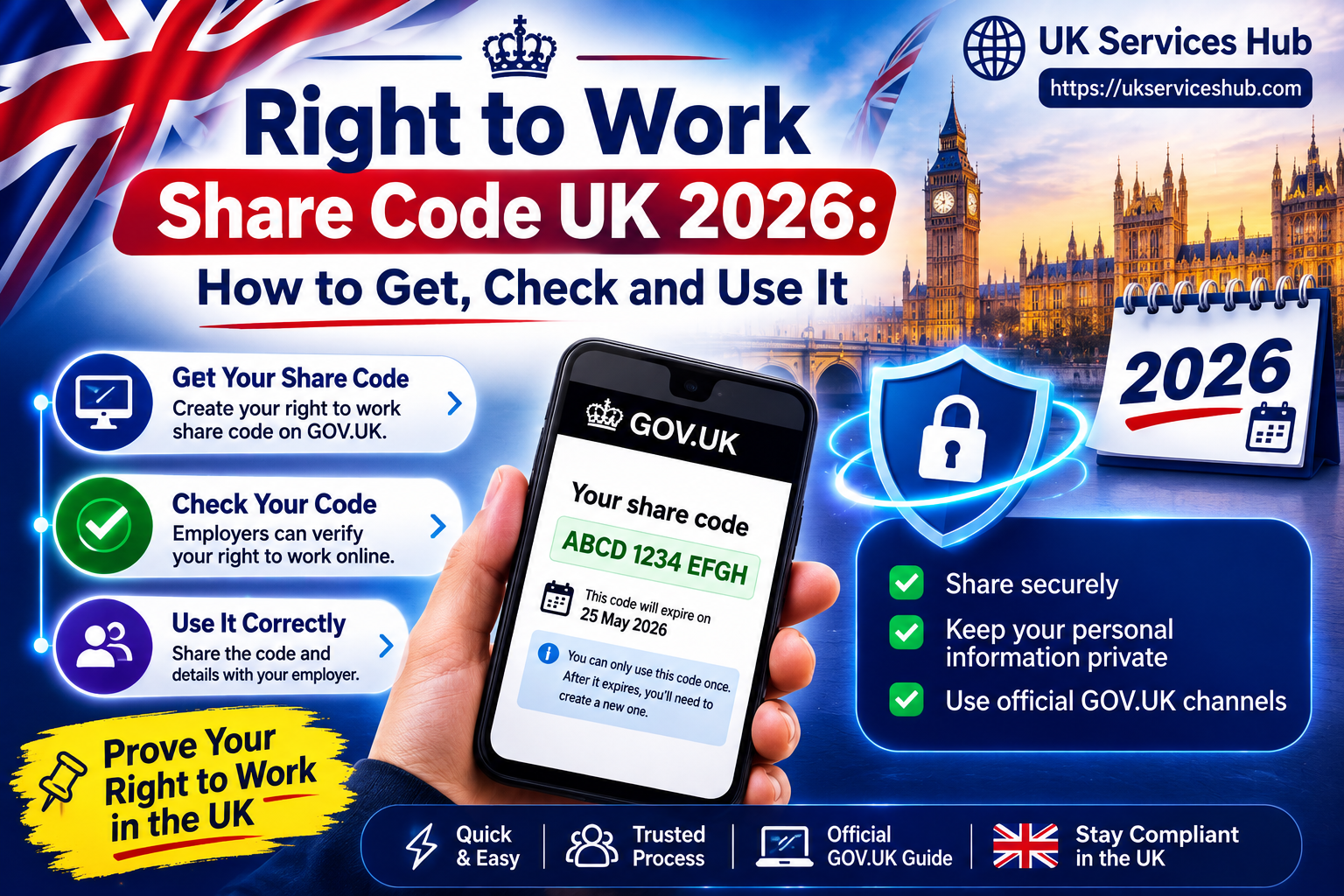
A right to work share code is one of the quickest and easiest ways for eligible individuals to prove their legal right to work in the UK. It is especially useful for people with a digital UK immigration status, such as an eVisa, UKVI account, settled or pre-settled status, or other eligible immigration permissions.
Using the official GOV.UK service, you can generate a right to work share code and provide it, along with your date of birth, to an employer. The employer can then use the Home Office’s online checking service to verify your work rights and any relevant conditions or restrictions.
This process is commonly used when starting a new job, changing employers, or completing recruitment and HR checks. A share code provides a quick and secure way to prove your right to work without relying on physical immigration documents.Visit our homepage for more information Click Here
What Is a UK Right to Work Share Code?
A UK right to work share code is a nine-character digital code generated through the Home Office’s online immigration-status service. It gives an employer access to the relevant information needed to check whether an individual has permission to work in the UK.
A code created specifically for employment begins with the letter W. This matters because share codes can also be generated for other purposes, including proving a right to rent. Choosing the correct purpose when creating the code is therefore essential.
When the employer checks the code, the service may provide information about:
The code itself is not the employer’s legal check. The employer must still use the official checking service and meet the relevant verification and record-keeping requirements.
Quick Facts About Right to Work Share Codes
| Question | Answer |
|---|---|
| What is it? | A nine-character code used to share eligible digital immigration information for a right-to-work check. |
| What does it start with? | W for employment-related right-to-work sharing. |
| How long is it valid? | 90 calendar days from the date of issue. |
| Can it be used more than once? | Yes, during its validity period for the appropriate purpose. |
| What does the employer need? | The share code and the worker’s date of birth. |
| Who uses it? | Eligible people with digital immigration status, depending on their circumstances. |
How Long Does a Right to Work Share Code Last?
A right to work share code remains valid for 90 calendar days from the date it is generated.
During that period, it can be used multiple times for suitable right-to-work checks. If a further check is needed after the 90-day validity period has ended, a new code will need to be generated.
Creating another share code does not automatically cancel an existing valid code. However, each code is generated for a particular purpose. For example, a code created to prove a right to rent cannot be used for a right-to-work check.
Who Can Use a Right to Work Share Code?
A share code is not required by everyone who works in the UK.
The online service is available to eligible people with digital immigration status. Depending on the circumstances, this may include individuals with:
The correct method of proving the right to work depends on the person’s immigration status and the evidence available to them. Eligible people who are not British or Irish citizens may be able to use the online service to share their work status.
Do British Citizens Need a Right to Work Share Code?
British citizens do not normally need to generate a right-to-work share code.
British and Irish citizens can generally prove their right to work using the appropriate permitted documents or, where applicable, an approved online identity service. Employers must follow the current Home Office rules for the particular checking route and evidence being used.
For that reason, employers should not assume that every job applicant needs a share code. The correct process depends on the individual’s nationality, immigration status and the evidence available.
What You Need Before Getting a Share Code
Before using the online service, you will normally need access to your UKVI account or details from an eligible immigration document.
Depending on your circumstances, you may need information linked to:
The available GOV.UK process can allow eligible users to obtain a share code using their BRP number or details from a passport or national identity document.
How to Get a UK Right to Work Share Code
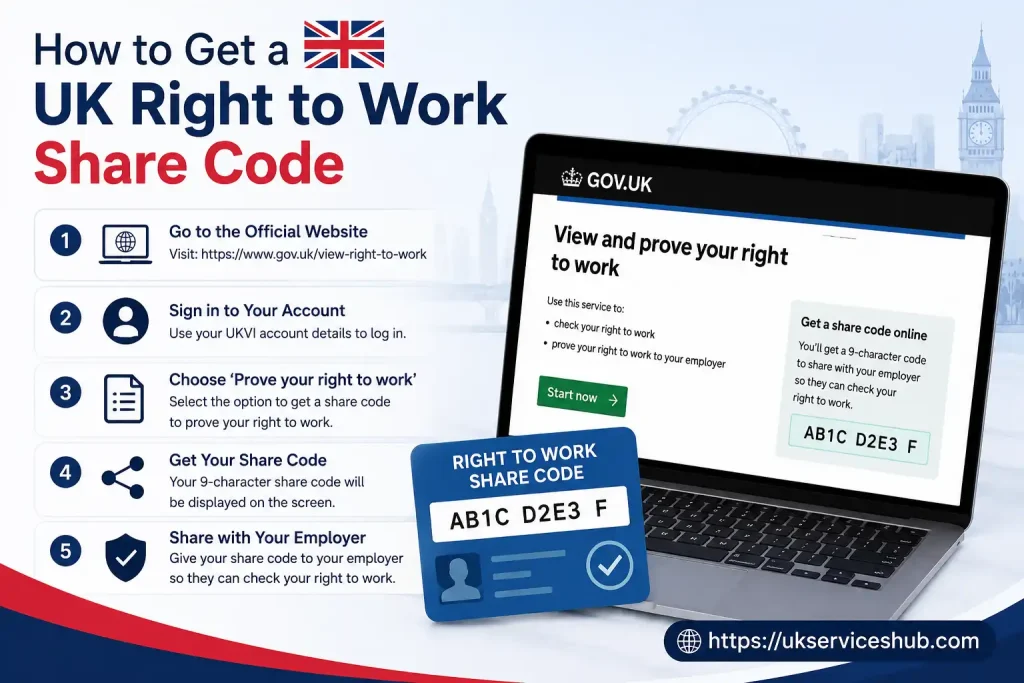
1. Use the Official GOV.UK Service
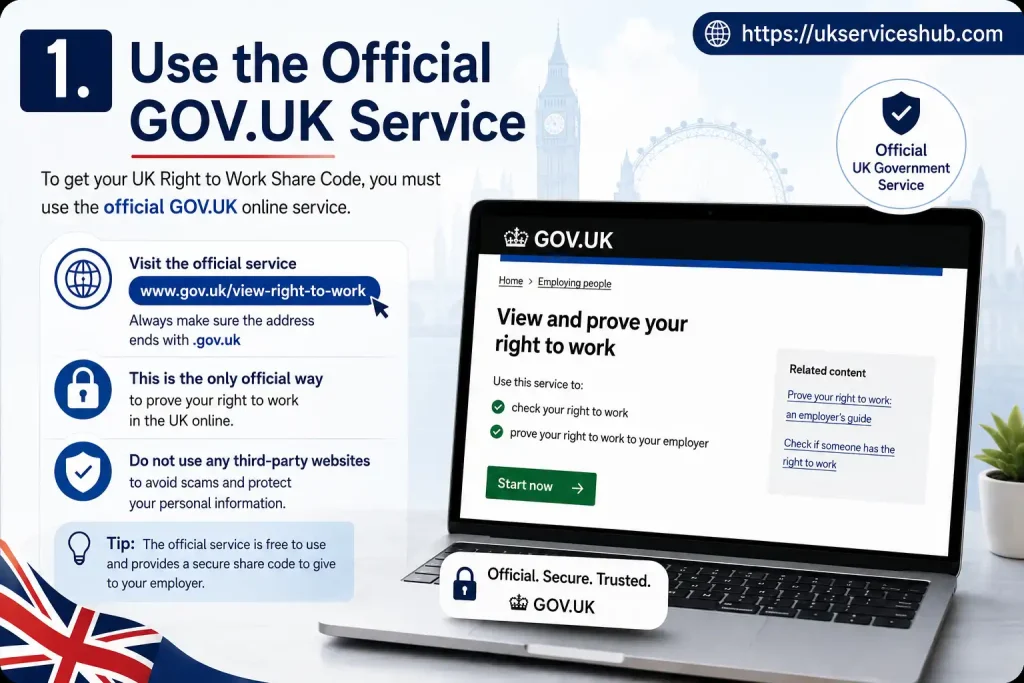
Start by opening the official GOV.UK service for proving your right to work:
Avoid unofficial services that charge a fee or request unnecessary personal information. The official Home Office service is the appropriate route for generating the code.
2. Sign In and Confirm Your Identity

Follow the instructions provided by the service.
Depending on your circumstances, you may need to sign in using information connected with your UKVI account or enter details from your passport, national identity card or BRP.
Check that the information you provide matches your immigration records.
3. View Your Digital Immigration Status
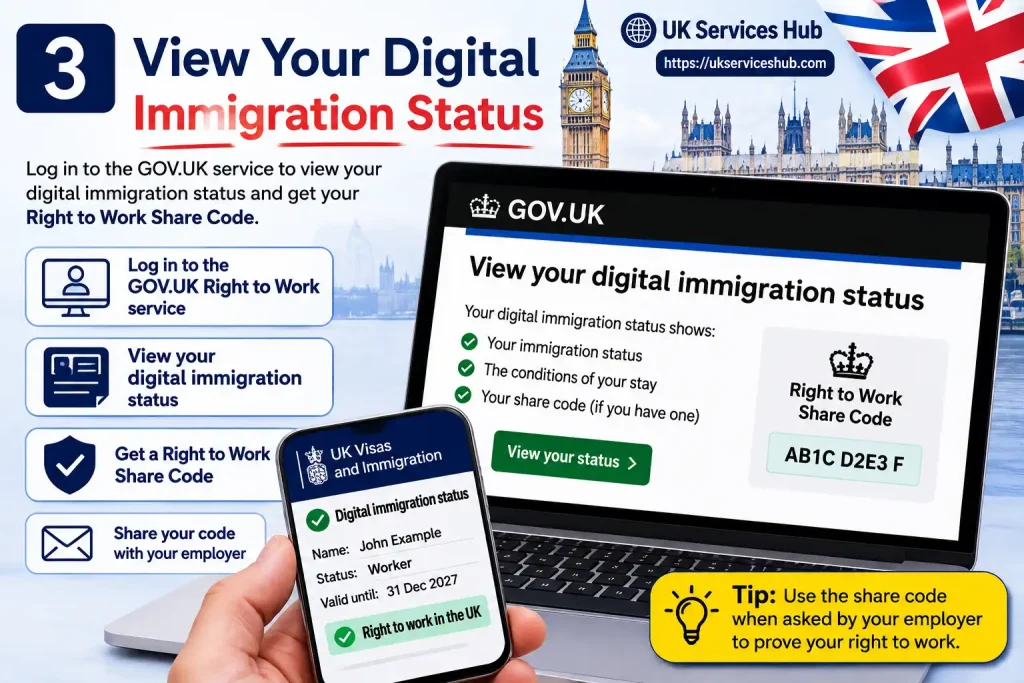
Once the identity and sign-in process has been completed, you can access your digital immigration status if the service is available for your circumstances.
Before creating a share code, review the information shown to make sure it is correct.
4. Select the Right Reason for Sharing
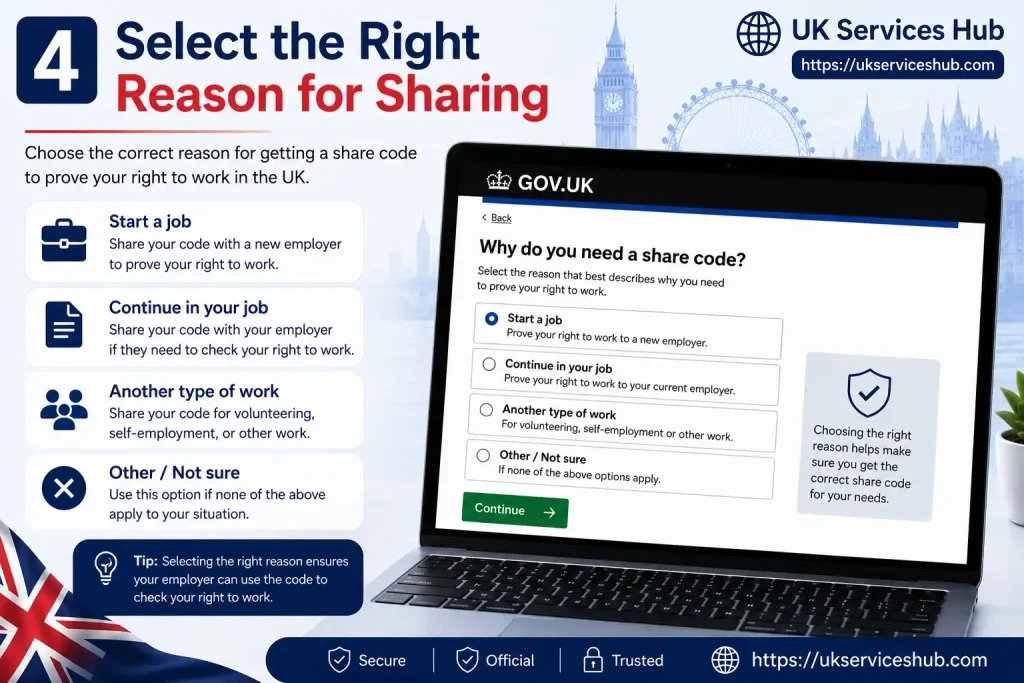
This step is particularly important.
When the service asks why you want to share your immigration status, choose the option for proving your right to work.
Do not select the right-to-rent option when you need to provide evidence for employment. The purpose you choose determines the information available to the person checking your status.
5. Create Your Share Code
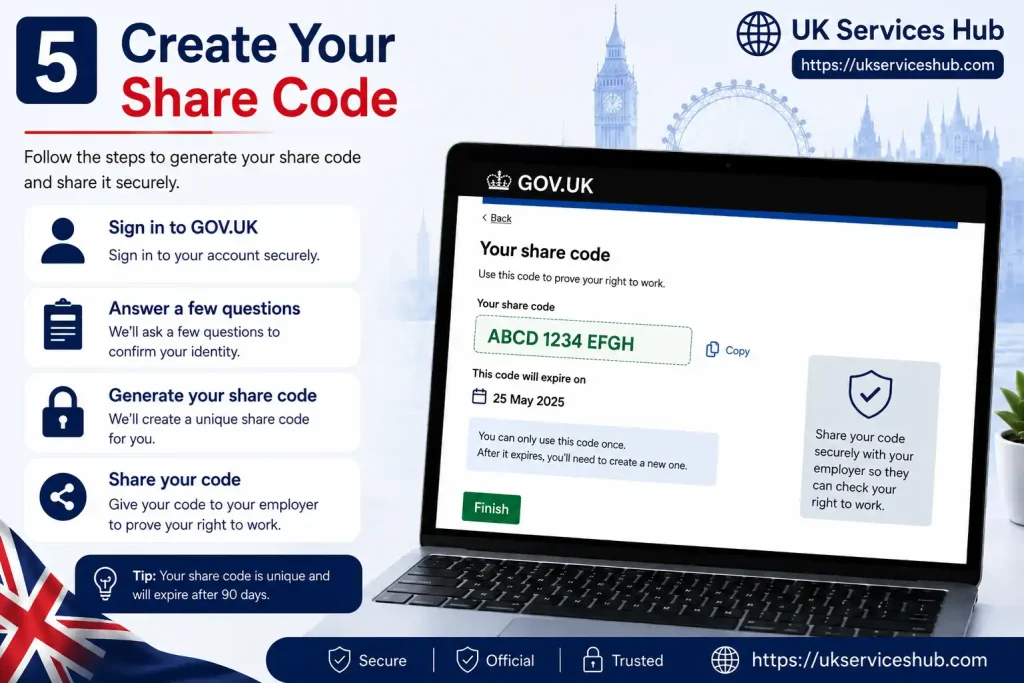
Continue through the online process until the code is generated.
A right-to-work share code is nine characters long and begins with W.
6. Give Your Details to the Employer

Your employer will need:
Both details are used to access your right-to-work information through the official checking service.
You can provide the code directly to the employer or use one of the sharing methods available through the online service.
7. Share the Code Securely
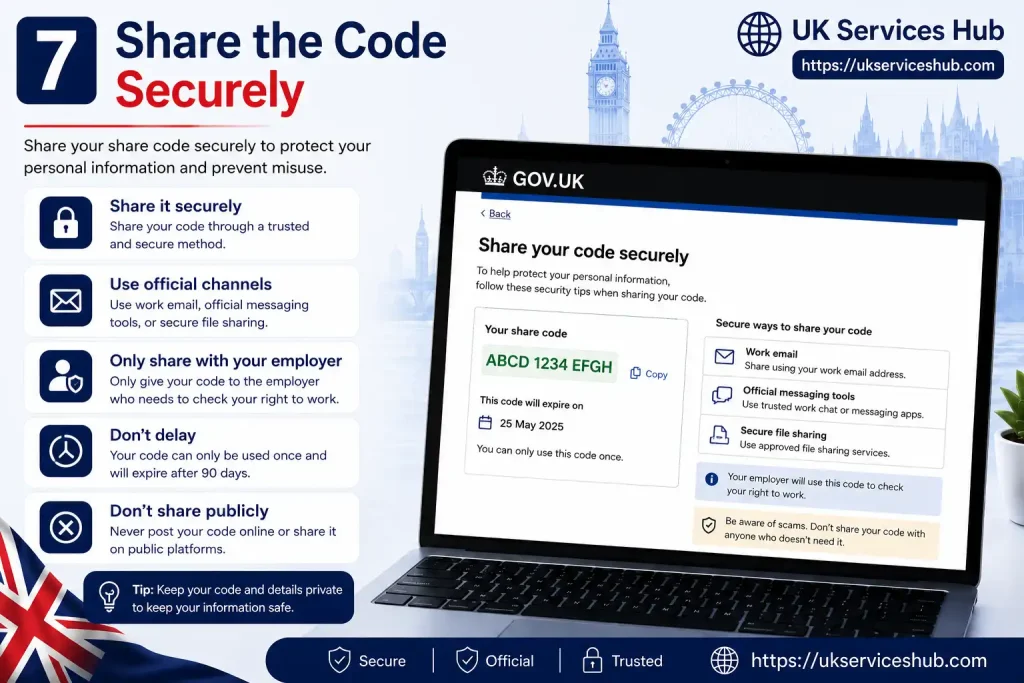
A share code gives an authorised employer or organisation access to relevant information about your immigration status.
Only give it to the appropriate employer or organisation that needs it to complete a legitimate right-to-work check.
Common Mistakes to Avoid
The process is straightforward, but a few mistakes can cause unnecessary delays:
Key Takeaway
A UK right to work share code provides a digital way for eligible people to share their immigration status with an employer. For employment purposes, the code begins with W, is nine characters long and remains valid for 90 calendar days.
To complete the process, generate the code for the correct purpose, provide it to the employer along with your date of birth, and make sure the employer carries out the required check using the official Home Office service.
How Employers Check a Right to Work Share Code
Generating a share code is only one part of the process. The employer must still carry out the actual right-to-work check using the official Home Office online service.
1. Request the Share Code and Date of Birth
Ask the prospective employee to provide:
The code must have been generated for employment purposes and will normally begin with W.
2. Access the Official Employer Checking Service
Use the official GOV.UK service:
Select Start now and follow the instructions provided.
3. Enter the Applicant’s Share Code
Enter the share code supplied by the applicant into the official service.
4. Provide the Applicant’s Date of Birth
The applicant’s date of birth is also required to retrieve their relevant right-to-work information.
Make sure the date entered matches the details provided by the applicant.
5. Check the Home Office Result
Review the information returned by the official service. The employer should confirm that:
Where restrictions apply, the employer must make sure the proposed employment complies with them.
6. Confirm the Applicant’s Identity
The photograph shown through the online right-to-work service should be compared with the person applying for the job.
This may be done in person or, where permitted under the checking process, through a video call. The aim is to confirm that the individual presenting themselves for employment is the same person whose immigration status has been checked.
7. Retain Evidence of the Check
Employers should keep evidence of the completed right-to-work check in line with Home Office requirements.
The retained record should demonstrate that the required check took place, including the date of the check and the relevant evidence obtained. Records should be stored securely for the applicable retention period and be available if requested.
What Information Can an Employer See?
When a valid right-to-work share code is checked through the Home Office service, the employer can access information relevant to the person’s employment permission.
Depending on the result, this may include:
Employers should rely on the information produced by the official checking service rather than accepting a screenshot or message supplied by the applicant as evidence of the completed check.
The appropriate route is the dedicated Check a job applicant’s right to work service.
Can an Employer Accept a Screenshot of a Share Code?
No. A screenshot does not replace the official right-to-work check.
The applicant may provide the share code in a screenshot or message, but the employer must still use the code together with the applicant’s date of birth in the official Home Office service.
This matters because the employer needs to check the person’s current work permission and any restrictions through the approved checking process.
What Happens If the Share Code Has Expired?
An expired share code cannot be used for a new right-to-work check.
Because a right-to-work share code is valid for 90 days, the applicant should generate a new code if the original one has expired.
A replacement right-to-work share code can be obtained through the official GOV.UK service.
What If the Applicant Provides the Wrong Type of Share Code?
Share codes are created for specific purposes.
For example, a code generated to prove a right to rent cannot be used to prove a right to work. Other immigration-status sharing codes may also fail to provide the information required for an employment check.
If the code does not work or has been generated for the wrong purpose, ask the applicant to create a new code specifically for proving their right to work.
What If an Applicant Cannot Get a Share Code?
A share code is not the only way to prove the right to work.
Some individuals may be able to use eligible original immigration documents, while other circumstances may require an alternative approved checking route.
In certain cases, an employer may need to use the Employer Checking Service. This may be relevant where a person has an outstanding immigration application, appeal or review, or where technical problems prevent an online check.
An applicant should not automatically be rejected simply because they cannot provide a share code. The employer should determine which approved right-to-work checking method applies to that person’s circumstances.
Can an Expired BRP Be Used to Prove the Right to Work?
The UK has increasingly moved towards digital immigration status and eVisas.
An expired physical BRP cannot simply be accepted as standalone evidence of a person’s right to work. Depending on the current rules and the individual’s circumstances, eligible BRP holders may instead be able to prove their status through the online service, including where the physical BRP has expired.
Employers should therefore follow the current Home Office guidance rather than relying on older procedures for physical BRP cards.
What If the Employee Has Time-Limited Permission to Work?
Some workers have permission to work only until a specified date.
Where this applies, the employer should record the relevant expiry date and complete a follow-up right-to-work check when required. An employer should not assume that the worker’s original immigration permission continues indefinitely.
The online Home Office result can show the period during which the individual has permission to work, helping employers manage any required follow-up checks.
What Happens If an Employer Fails to Check the Right to Work?
UK employers have legal responsibilities when employing people who are subject to immigration control.
An employer that hires someone without permission to work and fails to complete the required checks correctly may face a civil penalty. The source material states that the penalty can be up to £60,000 for each illegal worker.
More serious consequences may also apply depending on the circumstances, including:
Right-to-work checks should therefore form an essential part of recruitment and compliance procedures.
Does Every Employee Need the Same Right-to-Work Check?
Employers must establish a person’s right to work before employment begins, but the appropriate checking route may vary.
For example:
Employers should follow the current Home Office guidance for the individual’s circumstances rather than applying exactly the same process to every applicant.
Key point: A share code is evidence that helps start the digital checking process. The employer still needs to complete the official check, verify the individual’s identity and retain the required evidence of the result.
Common Right to Work Share Code Problems
Most right-to-work share code issues can be resolved by checking the code type, validity and the information entered during the employer’s online check.
The Share Code Has Expired
A right-to-work share code is valid for 90 days. If it has expired, the applicant will need to generate a new code before the employer can complete a new check.
The Code Begins With R or S
Share codes are created for different purposes. If a code begins with R or S, it may have been generated for a purpose other than proving the right to work.
Ask the applicant to return to the relevant service and create a new W code specifically for a right-to-work check.
The Employer Cannot Find the Applicant’s Record
First, check that both the share code and the applicant’s date of birth have been entered correctly.
If the problem continues, the applicant may need to review their UKVI account or use another approved method of proving their right to work, depending on their circumstances.
The Applicant’s Immigration Status Has Changed
Where an applicant’s immigration status has changed, the employer should rely on the current information available through the appropriate Home Office process.
An old screenshot or a previous check should not be treated as a substitute for checking the person’s current status and following the applicable guidance.
The Applicant Cannot Access Their Digital Status
If the online process cannot be completed, the employer should consider the appropriate alternative route.
Depending on the circumstances, this may include using the Employer Checking Service where applicable.
Right to Work Share Code vs Right to Rent Share Code
A right-to-work share code and a right-to-rent share code serve different purposes and cannot be used interchangeably.
| Type of share code | Purpose |
|---|---|
| Right to work share code | Used by employers to check whether an individual is eligible to work. |
| Right to rent share code | Used by eligible tenants to prove their right to rent in England. |
The purpose selected when creating the code determines what information can be accessed through the checking service. If you are providing evidence for a new job, make sure you generate a share code specifically for proving your right to work.
Quick reminder: Before sending a share code to an employer, check that it begins with W and is still within its 90-day validity period.
Frequently Asked Questions (FAQs)
Conclusion
A UK Right to Work Share Code gives eligible individuals a secure way to prove their right to work in the UK. To use it, generate a valid nine-character code for employment purposes, which normally begins with W, and provide it to your employer along with your date of birth. The employer must then complete the official Home Office check to confirm your work permission, any restrictions and, where applicable, the expiry date of your immigration status.
The code remains valid for 90 days and can generally be used more than once during that period. If it expires or was generated for the wrong purpose, simply create a new right-to-work share code. Using the correct code and following the official checking process helps both workers and employers complete right-to-work checks correctly and avoid unnecessary delays.